
Color Picker Converter
Select a color from picker or upload an image to pick colors
Recent Colors
What Is a Hex Color Picker?
Ever wondered how designers create those perfectly matching color schemes on websites and apps? Enter the hex color picker—your digital artist’s best friend. A hex color picker is a tool that helps you identify, select, and use specific colors in their hexadecimal format. Think of it as a translator between what your eyes see and what your computer understands.
When you’re working on a website, graphic design project, or any digital content, you need precise color values. You can’t just say “make it blue”—you need to specify exactly which shade of blue. That’s where hex color pickers come in handy, giving you the exact code your browser or design software needs to reproduce that color perfectly every single time.
Understanding Hex Color Codes
Breaking Down the Hex Code Structure
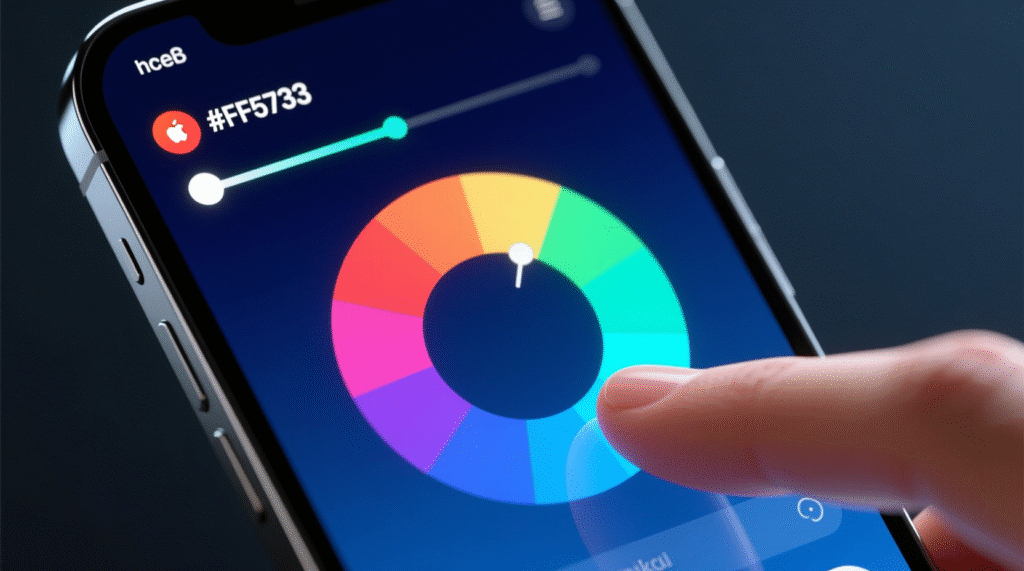
Let’s demystify these mysterious codes, shall we? A hex color code looks something like this: #FF5733. But what does it actually mean? The hashtag symbol (#) tells the computer, “hey, a color code is coming!” The six characters that follow represent red, green, and blue values.
Here’s the breakdown: the first two characters (FF) represent red, the middle two (57) represent green, and the last two (33) represent blue. Each pair can range from 00 (none of that color) to FF (maximum intensity). It’s like mixing paint, but with numbers instead of tubes!
The hexadecimal system uses base-16, which includes numbers 0-9 and letters A-F. So FF actually means 255 in our regular decimal system—the highest value possible for a color channel.
How Hex Colors Work in Web Design
In web design, hex colors are the universal language. When you write CSS or HTML, browsers across the world understand exactly what color you’re referring to when you use a hex code. It’s like speaking Esperanto for colors—everyone gets it.
Browsers read these codes and mix the red, green, and blue light on your screen to create the exact shade you specified. That’s why #FFFFFF gives you pure white (maximum red, green, and blue), while #000000 gives you pure black (zero of everything).
Why Use a Hex Color Picker?
Consistency Across Digital Platforms
Have you ever noticed how your brand colors look slightly different on your website versus your social media graphics? That’s the nightmare every designer wants to avoid. Hex color pickers eliminate this problem by providing standardized color values.
When you use hex codes, you’re ensuring that your signature blue looks identical whether someone’s viewing it on a Mac, PC, tablet, or smartphone. It’s like having a color guarantee—what you pick is what everyone gets.
Precision in Color Selection
Imagine trying to describe the exact shade of turquoise you want to a developer over the phone. “It’s kind of blue-green, but more blue, with a hint of…” Sound frustrating? That’s why precision matters. A hex color picker gives you pinpoint accuracy.
Instead of vague descriptions, you simply share #40E0D0, and boom—everyone’s on the same page. No guesswork, no back-and-forth, just perfect color communication.
Types of Hex Color Pickers
Online Hex Color Pickers
Online hex color pickers are the most accessible option. You don’t need to download anything—just open your browser and start picking colors. These web-based tools typically feature a color wheel or gradient where you can click to select your desired shade.
Most online pickers also let you input existing hex codes to see the color or adjust values using sliders. They’re perfect for quick color selections and often include additional features like color palette generators.
Desktop Applications
For professionals who need advanced features, desktop applications offer robust color-picking capabilities. Programs like Adobe Photoshop and Illustrator have built-in color pickers that integrate seamlessly into your workflow.
These applications often provide more sophisticated features like color harmony rules, pantone matching, and the ability to sample colors from anywhere on your screen—even outside the application itself.
Browser Extensions
Browser extensions for color picking are incredibly convenient. With just a click, you can pick any color from any webpage you’re viewing. They’re like having a color sniffer that works everywhere you browse.
Mobile Apps for Color Picking
Yes, there’s an app for that! Mobile color picker apps let you capture colors from the real world using your phone’s camera. Spotted the perfect shade of coral on a sunset? Snap it, and your app will give you the hex code. How cool is that?
How to Use a Hex Color Picker
Step-by-Step Guide
Using a hex color picker is surprisingly straightforward. First, open your chosen color picker tool. You’ll typically see a color spectrum or wheel displayed prominently. Click or tap on the area that represents your desired color.
Next, fine-tune your selection using the brightness or saturation sliders usually found alongside the main color area. As you adjust, watch the hex code update in real-time. Once you’ve nailed the perfect shade, simply copy the hex code and paste it into your CSS, design software, or wherever you need it.
Tips for Selecting the Perfect Color
Choosing colors isn’t just about what looks pretty—it’s about what works. Start by considering your project’s purpose. A children’s toy website needs different colors than a law firm’s homepage, right?
Test your colors on different backgrounds. That gorgeous purple might look stunning on white but completely disappear on black. Also, consider viewing your colors on different devices and lighting conditions. What looks perfect on your calibrated monitor might appear completely different on your client’s budget laptop.
Popular Hex Color Picker Tools
Adobe Color
Adobe Color is the heavyweight champion of color tools. It offers sophisticated color harmony rules, the ability to extract colors from images, and integration with Adobe’s creative suite. Whether you’re creating complementary, triadic, or analogous color schemes, Adobe Color has you covered.
Coolors
Coolors is the speed demon of color palette generators. Press the spacebar, and it generates beautiful color combinations instantly. It’s perfect when you need inspiration or want to explore different color relationships quickly. Plus, it’s incredibly user-friendly and free for basic use.
HTML Color Codes
HTML Color Codes is straightforward and no-nonsense. It provides a simple color picker along with common color palettes and charts. If you just need to grab a hex code quickly without any fuss, this tool gets the job done efficiently.
Benefits of Using Hex Color Pickers for Designers
For designers, hex color pickers are game-changers. They streamline your workflow by eliminating guesswork and reducing revision cycles. When you can communicate exact color values to developers or clients, projects move faster and smoother.
These tools also help you maintain brand consistency across all materials. Your brand’s signature red will be exactly the same in your logo, website, email templates, and marketing materials. That consistency builds brand recognition and trust.
Additionally, color pickers often include accessibility checkers that ensure your color combinations meet WCAG standards for contrast ratios. This helps you create designs that are beautiful and inclusive.
Common Mistakes When Using Hex Color Pickers
One frequent mistake is ignoring color accessibility. Just because two colors look distinct to you doesn’t mean everyone can differentiate them. Always check contrast ratios, especially for text and background combinations.
Another pitfall is relying too heavily on trends. That trendy neon green might be everywhere right now, but will it still look good in two years? Choose colors that align with your brand’s longevity, not just current fads.
Don’t forget to test colors in context. A color might look perfect in your picker but clash horribly with your existing design elements. Always preview colors within your actual project before committing.
Hex Color Picker vs RGB Color Picker
You might be wondering: what’s the difference between hex and RGB? They’re actually two different ways of expressing the same thing—color values. RGB uses decimal numbers (0-255) for each channel, like rgb(255, 87, 51), while hex uses hexadecimal notation, like #FF5733.
Hex is generally preferred for web design because it’s more compact and universally supported in CSS. RGB is often used in graphic design software and when you need to manipulate transparency (RGBA). Both have their place, and many color pickers let you switch between formats easily.
Best Practices for Choosing Website Colors
Understanding Color Psychology
Colors aren’t just pretty—they trigger emotional responses. Blue evokes trust and stability, which is why banks love it. Red creates urgency and excitement, perfect for clearance sales. Green suggests growth and health, ideal for environmental or wellness brands.
When selecting colors, think about the emotional message you want to send. What should visitors feel when they land on your page? Calm and reassured? Energized and excited? Your color choices should support these psychological goals.
Maintaining Brand Consistency
Your colors are part of your brand identity. Create a color style guide that documents your primary, secondary, and accent colors with their exact hex codes. Share this guide with everyone who creates content for your brand.
Consistency doesn’t mean monotony, though. Your style guide should include approved variations and combinations, giving creators flexibility while maintaining brand recognition.
Accessibility and Hex Colors
Accessibility isn’t optional—it’s essential. When choosing hex colors, always consider users with visual impairments, including color blindness. The most common issue is insufficient contrast between text and background colors.
Use tools that calculate contrast ratios to ensure your combinations meet WCAG AA or AAA standards. A contrast ratio of at least 4.5:1 for normal text and 3:1 for large text is the minimum for AA compliance. Remember, accessible design is better design for everyone.
Future of Color Selection Tools
The future of color picking is exciting. AI-powered tools are emerging that can analyze your brand, understand your industry, and suggest optimized color palettes automatically. Imagine uploading your logo and receiving ten professionally curated color schemes instantly.
Augmented reality color picking is also on the horizon. Point your phone at any real-world object, and your design software could automatically create a matching digital color palette. The line between physical and digital color selection is blurring.
We’re also seeing better integration between color tools and design workflows. Soon, your color picker might suggest accessibility improvements, predict color trends, and even test how your colors perform with different audiences—all in real-time.
Conclusion
Hex color pickers have revolutionized how we work with digital colors. They’ve transformed color selection from an art of approximation into a science of precision. Whether you’re a professional designer or a small business owner building your first website, understanding and using hex color pickers will elevate your digital presence.
These tools offer more than just color codes—they provide consistency, accessibility, and efficiency. They speak a universal language that browsers, devices, and designers worldwide understand perfectly. As digital design continues to evolve, hex color pickers remain essential tools in every creator’s toolkit.
So next time you’re picking colors for your project, remember: that perfect shade isn’t just a happy accident—it’s a precise hex code waiting to be discovered. Happy color picking!
FAQs
Q1: What does the # symbol mean in hex color codes? The hashtag symbol (#) indicates that what follows is a hexadecimal color code. It tells browsers and design software to interpret the next six characters as color values rather than regular text.
Q2: Can I use hex colors for printing projects? While hex colors work perfectly for digital projects, printing uses CMYK color mode. You’ll need to convert hex colors to CMYK for print materials, though be aware that colors may appear slightly different in print than on screen.
Q3: Are there hex codes for transparent colors? Standard six-digit hex codes don’t support transparency. However, you can use eight-digit hex codes where the last two digits represent opacity, or use RGBA color notation instead.
Q4: How many possible hex color combinations exist? There are over 16.7 million possible hex color combinations (256 x 256 x 256). That’s because each of the three color channels (red, green, blue) can have 256 different values.
Q5: Do hex colors look the same on all devices? While hex codes ensure color consistency across platforms, actual display can vary due to screen calibration, brightness settings, and display technology. However, hex codes provide the closest thing to universal color standards in digital design.